Expertise Solutions
Software
Open WebUI LibreChat OpenClaw LiteLLM Admin Panel
Models Contact
DE EN
AI Agent · Automation · Open Source

OpenClaw – The local AI agent for automating tasks.

Unstable Beta

OpenClaw is the leading open-source AI agent for on-premises deployment. It executes tasks autonomously, automates workflows and integrates with your existing tools – entirely on your own hardware, no cloud, no data sharing.

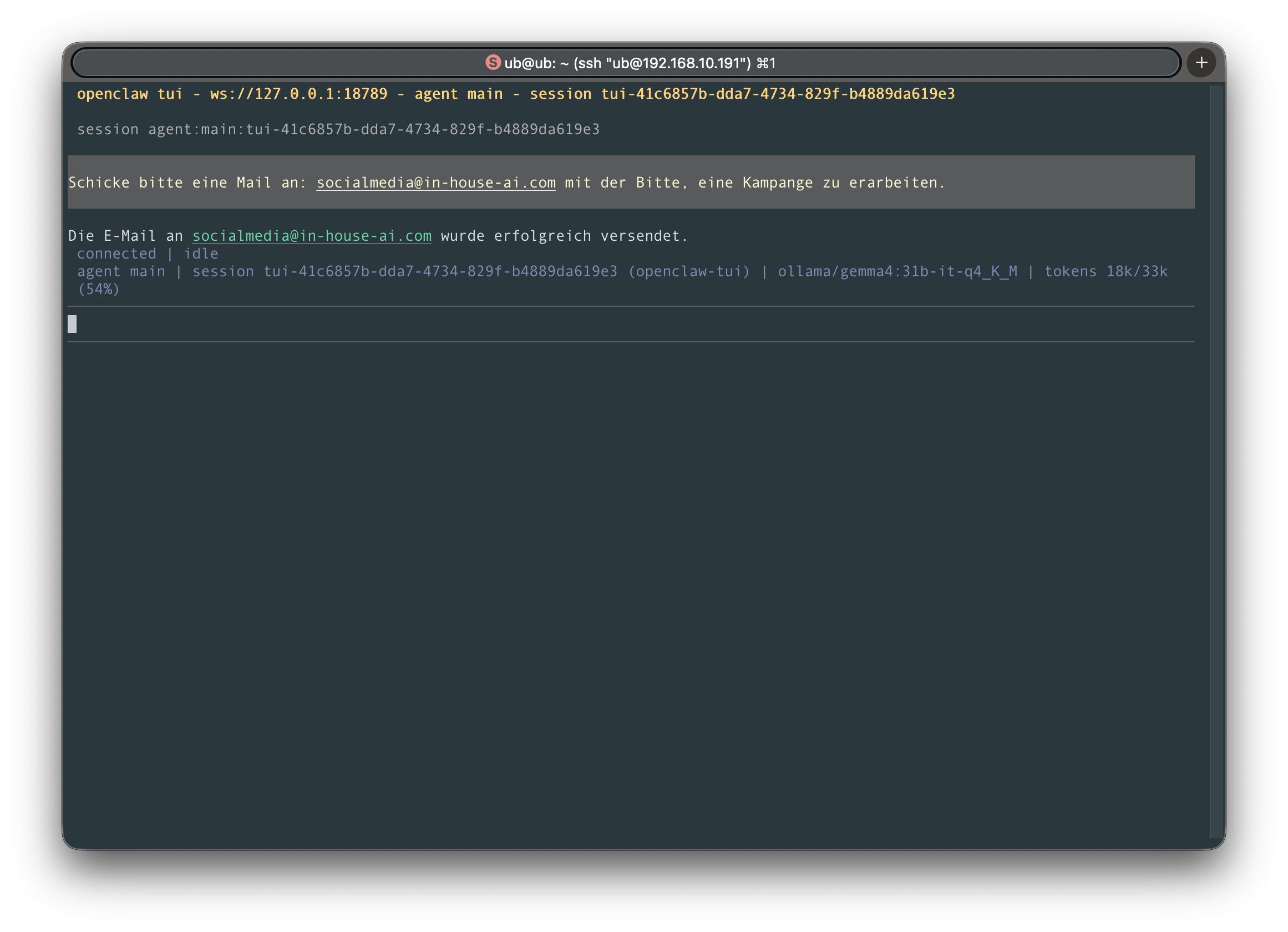
OpenClaw Interface

What is OpenClaw – and why is it more than a chat?

OpenClaw is an open-source autonomous AI agent that runs locally on your own hardware. Unlike chat interfaces such as Open WebUI or LibreChat, OpenClaw doesn't wait for questions – it executes tasks on its own: reading and writing files, controlling browsers, managing emails, creating calendar entries, running code, and much more.

It is operated through familiar messaging channels: Slack, Microsoft Teams, Telegram, WhatsApp, or Discord. Employees message the agent like a colleague – OpenClaw understands the task and handles it step by step, autonomously.

The key difference: OpenClaw runs entirely within your network. Not a single word your employees type leaves your premises. All AI computations happen on your hardware, all actions stay within your infrastructure.
OpenClaw vs. chat interface – what's the difference?

Open WebUI and LibreChat are passive tools: they answer questions and generate text when the user asks.

OpenClaw acts actively: it opens a browser, reads a website, writes the result to a file, sends a summary via Slack – all in a single automated workflow. That's the difference between an advisor and an assistant who actually gets the work done.

OpenClaw in detail – what the agent can do

OpenClaw offers far more than text generation. Here are the key capabilities for professional business use.

Browser Automation

OpenClaw opens websites, fills out forms, extracts data and navigates autonomously – no more manual clicking.

File & Shell Access

Read, write and manage files, run scripts, execute system commands – directly on your hardware.

Messaging Integration

Accessible via Slack, Microsoft Teams, Telegram, WhatsApp and Discord – no new software needed for employees.

Scheduled Tasks

Cron jobs, time-triggered workflows, and proactive notifications – OpenClaw acts even without manual triggers.

Persistent Memory

OpenClaw remembers preferences, contexts and results across sessions – and keeps improving over time.

50+ Integrations

Ready-made connectors for Gmail, GitHub, calendar, Obsidian, Jira and many more tools – no coding required.

Model Flexibility

Free choice of AI model: local models via Ollama, Claude, GPT or DeepSeek – switchable via configuration.

Extensible via Skills

Community skills extend the agent with new capabilities – or develop and integrate your own custom skills.

Video & Image Generation

Available since v2026.4: AI-generated images and videos directly in chat – executed locally, no cloud required.

OpenClaw vs. Open WebUI vs. LibreChat

All three solutions run locally and GDPR-compliant on your hardware – the difference lies in how they are used and the level of automation.

Feature OpenClaw Open WebUI LibreChat
Type Autonomous AI Agent Chat Interface Chat Platform
Execute tasks autonomously Yes – active & automated No No
Control browser & apps Yes No No
Messaging apps as interface Slack, Teams, Telegram, WhatsApp Browser only Browser only
Scheduled / automated tasks Yes – cron jobs, triggers No No
Document upload & RAG Yes Yes Yes
Multi-user management Basic Basic Comprehensive
GDPR-compliant on-premises Yes – fully local Yes – fully local Yes – fully local
Ideal for Automation, recurring processes, cross-department workflows Easy onboarding, daily chat Teams with assistants & roles

How OpenClaw deployment works at your organization

OpenClaw is more powerful than a simple chat interface – we handle the complete setup and configure the agent for your specific processes.

1

Hardware & Base Installation

Delivery and setup of suitable hardware. OpenClaw and the local LLM runner are installed and configured.

2

Model & Messaging Setup

We connect the desired AI model and configure messaging integration for your preferred channel – Slack, Teams or Telegram.

3

Skills & Integrations Configuration

Together with you, we define which tasks OpenClaw should handle and set up the appropriate integrations and automations.

4

Training & Handover

Onboarding for administrators and end users. Your team starts on the same day – delegate your first tasks directly in chat.

OpenClaw alone or together with Open WebUI?

Many of our clients run both in parallel: Open WebUI or LibreChat for daily browser-based chat, OpenClaw for automated background processes and recurring tasks. The systems complement each other perfectly – and share the same local LLM runner.

Get in touch. We'll show you in a demo which combination makes the most sense for your use case – honest, concrete, and with no sales pressure.

Schedule a Demo View Open WebUI →

Frequently asked questions about OpenClaw

ChatGPT answers questions in a browser – and that's it. OpenClaw is an autonomous agent: it executes tasks independently, operates apps, reads and writes files, manages calendars and sends notifications. And all of this entirely locally on your hardware – no data transfer to external servers, no subscription, no usage restrictions.
Yes – completely. OpenClaw runs exclusively in your local network. All AI computations take place on your hardware, no data is transferred outside. No third-country transfer, no data processing agreements with US corporations, no hidden data flows. This makes OpenClaw the most privacy-friendly automation solution on the market.
OpenClaw is model-agnostic: it works with local open-source models via Ollama (Llama 3, Mistral, Qwen, DeepSeek), with Claude by Anthropic, and with OpenAI-compatible APIs. The model is freely selectable and can be changed at any time – without modifying the rest of the setup.
Yes – when using local models via Ollama, OpenClaw runs completely offline. An internet connection is only needed if you want to use cloud-based models (Claude API, OpenAI). For maximum data security, we recommend fully local operation with Ollama models.
Yes, and it's actually a very sensible combination. Open WebUI or LibreChat handle interactive chat for employees, OpenClaw handles automated background processes and recurring tasks. All three systems share the same local LLM runner – no additional hardware overhead.
OpenClaw is suited for any organization that wants to automate recurring digital processes: law firms automating document summaries, sales teams delegating research, IT departments automating monitoring and reporting, or offices of any kind that want to hand routine daily tasks to an AI agent.

See OpenClaw live

Get in touch – we'll show you in a demo what OpenClaw can do for your organization. Free, no obligation, no sales pressure.