Live Preview
Open WebUI in practice
This is what Open WebUI looks like at our clients' sites – lean, dark, professional.
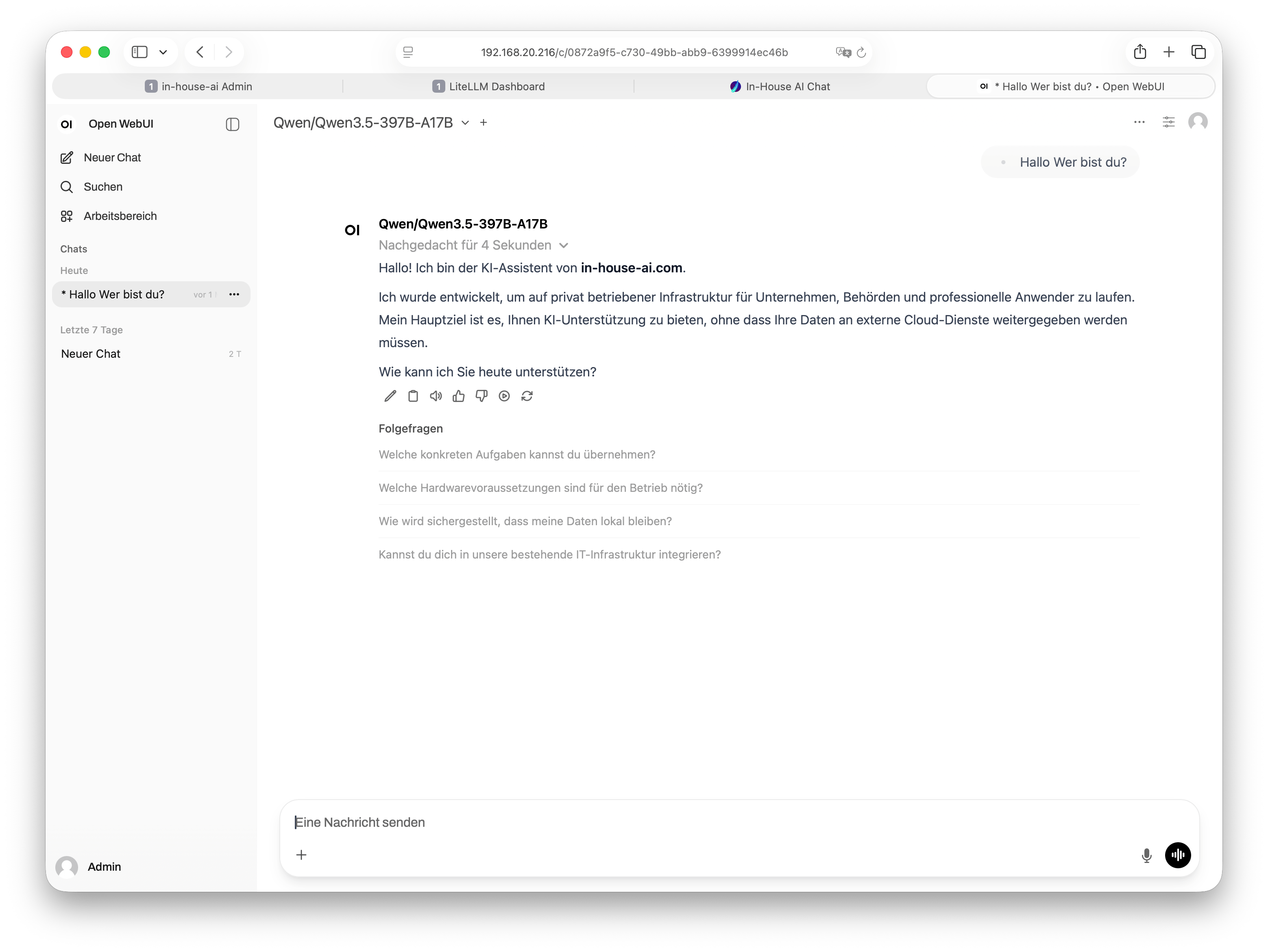
Open WebUI is the leading open-source interface for local AI models. We integrate it fully into your infrastructure – no cloud, no subscription, no data sharing.
Open WebUI (formerly known as Ollama WebUI) is an open-source, browser-based chat interface for local language models. The project is actively developed by a large community and is now considered the de-facto standard for running AI models locally in businesses and public-sector organizations.
Unlike commercial solutions such as ChatGPT or Microsoft Copilot, Open WebUI runs entirely on your own hardware within your network. Not a single word your employees type ever leaves your environment. This makes it the ideal solution for industries with high data protection requirements: law firms, tax advisors, medical practices, government agencies, engineering offices, and mid-sized businesses of all kinds.
The interface is intuitively designed – anyone who has used ChatGPT before will feel at home immediately. No training week, no manual. Just open a browser and get started.
Why Open WebUI instead of a cloud solution?
Cloud AI services process your inputs on third-party servers –
often in data centers outside the EU. For confidential business data,
client information, or personal data, this raises serious data
protection concerns.
With Open WebUI on your own hardware, you retain full control.
No data processing agreements with US corporations,
no third-country transfers, no hidden terms of service.
Open WebUI offers far more than a simple chat. Here is an overview of the most important features for professional use.
Run multiple AI models in parallel and switch between them mid-chat – no restart required.
Load PDFs, Word files, and text documents directly into the chat. The AI reads, analyzes, and answers questions about them.
Permanently embed your own documents (Retrieval Augmented Generation). The AI knows your internal materials.
Upload images to the chat for analysis – using multimodal models such as LLaVA or Qwen-VL.
Input via microphone – processed locally. No audio data is transmitted externally.
Individual user accounts for every team member. Chats are private and not shared.
Configure system prompts, roles, and templates – the AI behaves exactly as your business needs.
Responsive design – Open WebUI works equally well on desktop, tablet, and smartphone.
English, German, and many more languages – with excellent output quality depending on the selected model.
This is what Open WebUI looks like at our clients' sites – lean, dark, professional.
We handle the complete technical setup – you don't have to worry about a thing. A single on-site appointment is all it takes.
We advise you on the right hardware (Mac Studio, DGX System, or GPU cluster) and deliver everything pre-configured.
Installation, network integration, user account creation, model loading – all in a single on-site visit.
We set up the language models that suit you best – including multilingual Qwen or Llama models on request.
A brief walkthrough and you're done. Your team opens a browser, enters the internal address – that's it.
Open WebUI is technically demanding to set up – especially when it comes to network integration, user authentication, automated backups, and the interplay with LLM runners.
We have optimized this process many times over. You receive a stable, production-ready system without trial and error. Includes a backup concept, diagnostic package, and remote maintenance option.
And if you would prefer LibreChat – no problem. We set up both interfaces for you, and you decide after the demo which one fits your team better.
Explore LibreChat →Get in touch – we'll give you access credentials to our live demo or walk through the interface together with you. Free of charge, no commitment, no sales pressure.