Included with every system at no extra charge.
The admin panel is not an optional add-on or a premium feature.
Every customer gets full access to all management functions –
from day one, with no hidden fees.
All sections of the admin panel at a glance
Eight sections, one interface. Everything you need to manage your AI infrastructure – clearly laid out, directly in the browser.
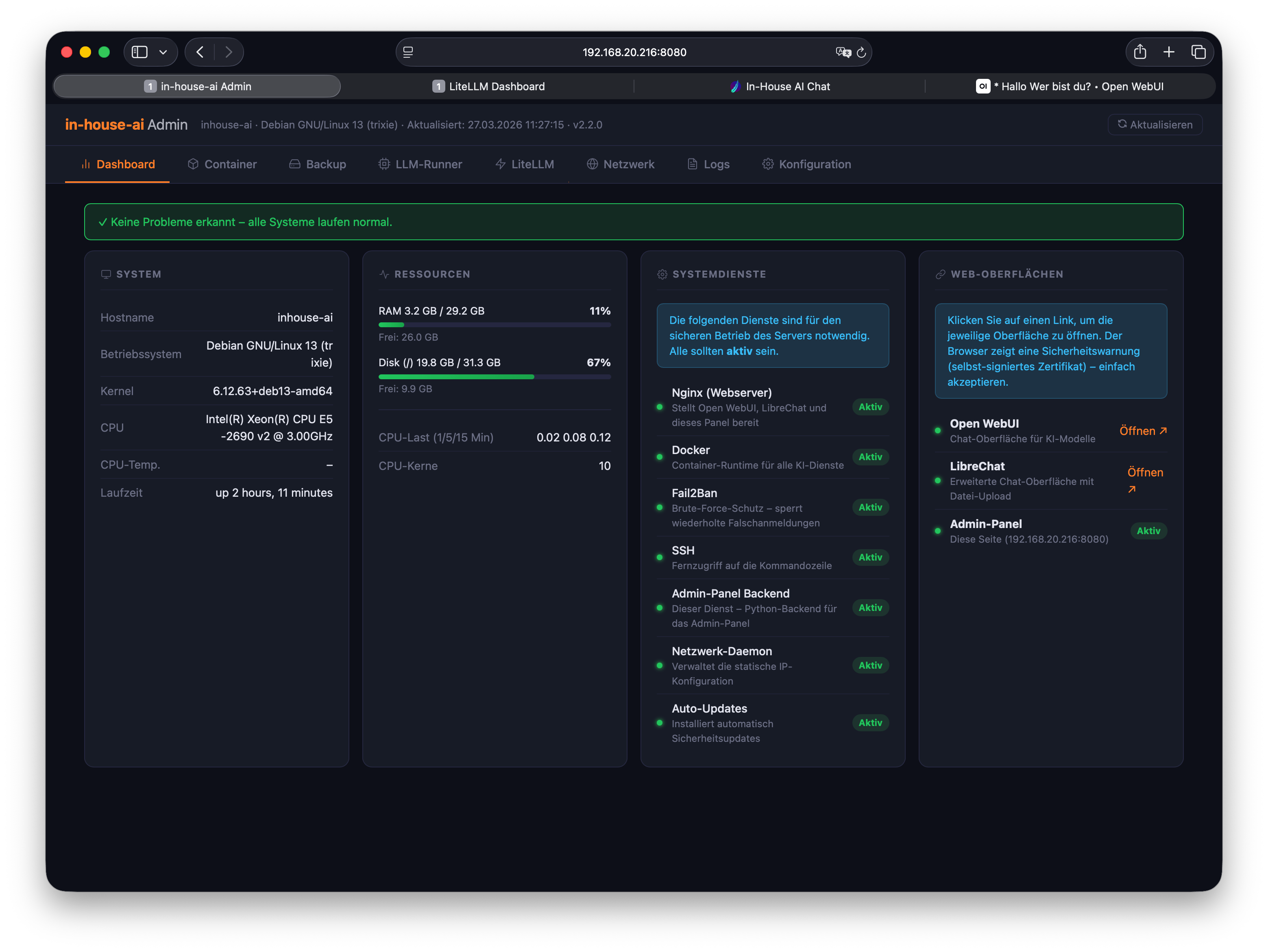
System overview at a glance
The dashboard shows the current state of your entire AI infrastructure in real time: running services, resource utilisation, system status, and active connections – all on one page.
Instead of navigating through multiple tools and terminals, you get an instant overview – whether during your morning check or after a long weekend.
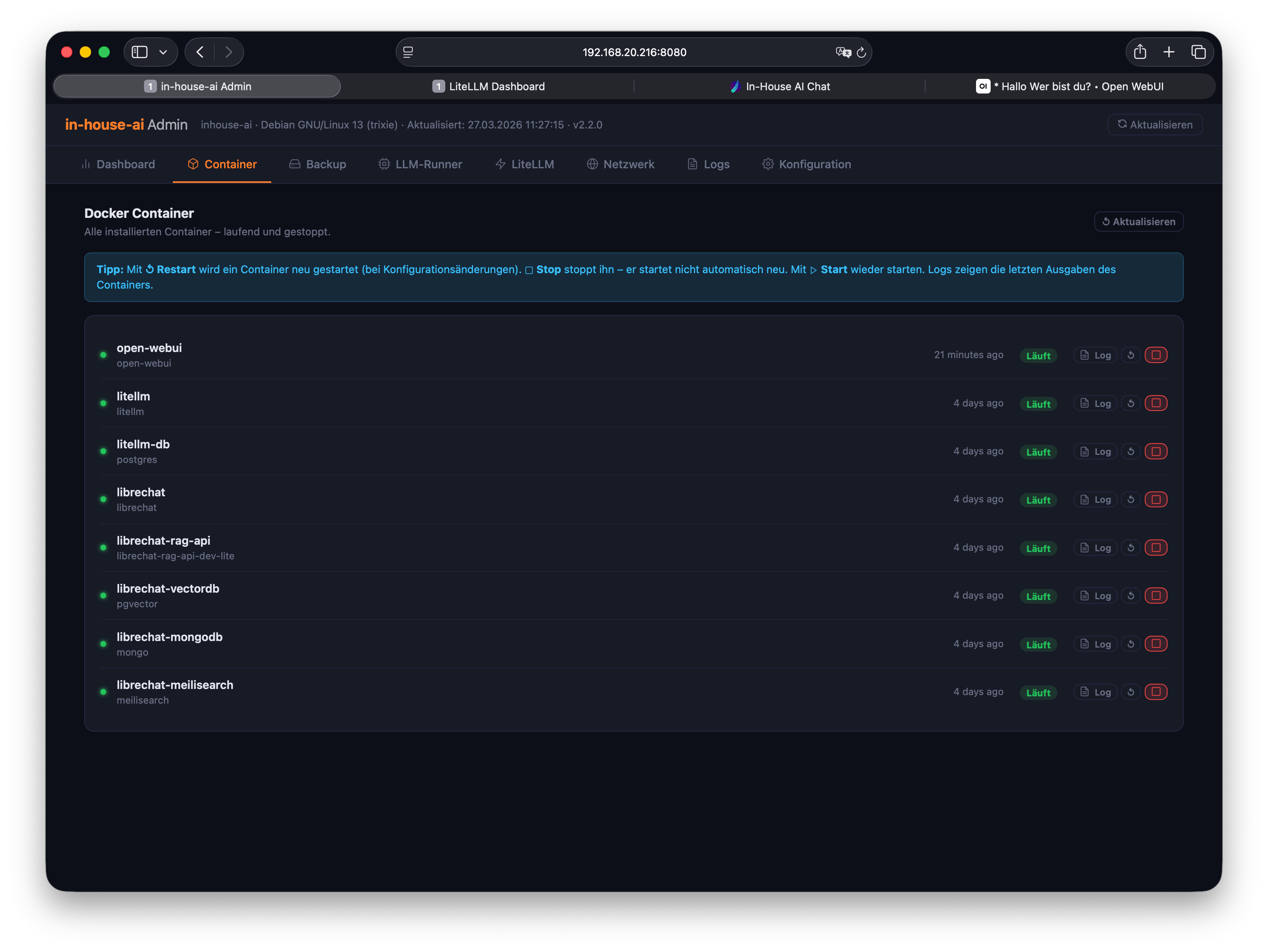
Manage containers without a terminal
All running services in your AI infrastructure run as containers. The admin panel shows the status of each individual service – you can restart, stop, or view logs without typing a single terminal command.
Software updates are applied through this section. Everything is secure, controlled, and fully traceable.
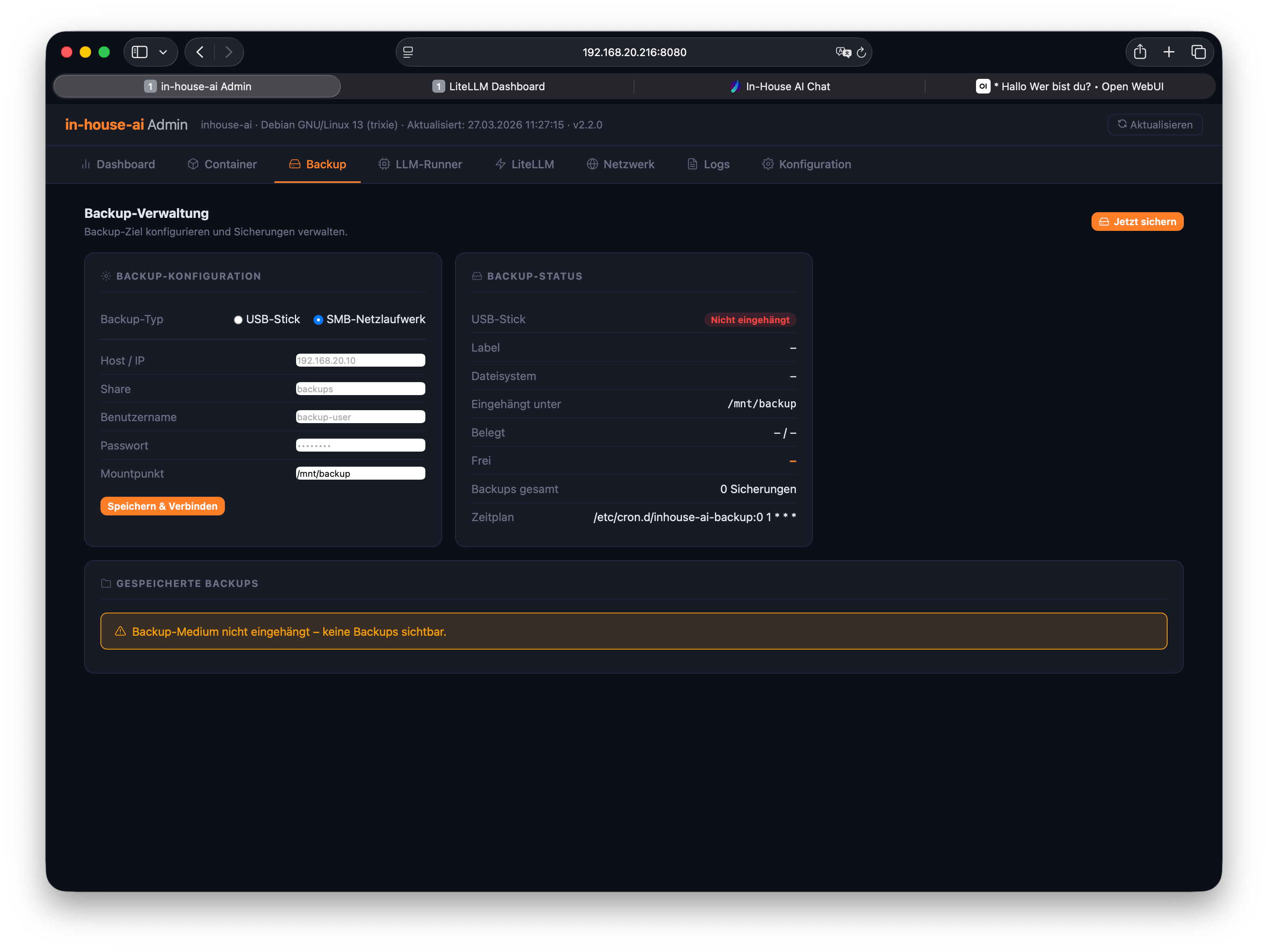
Automatic backups, accessible at any time
Your system automatically creates a full daily backup of all configurations, user data, and model settings. The backup section lists every saved version, and you can restore any of them on demand.
No separate backup tool required – everything runs in the background and is accessible and restorable through the admin panel at any time.
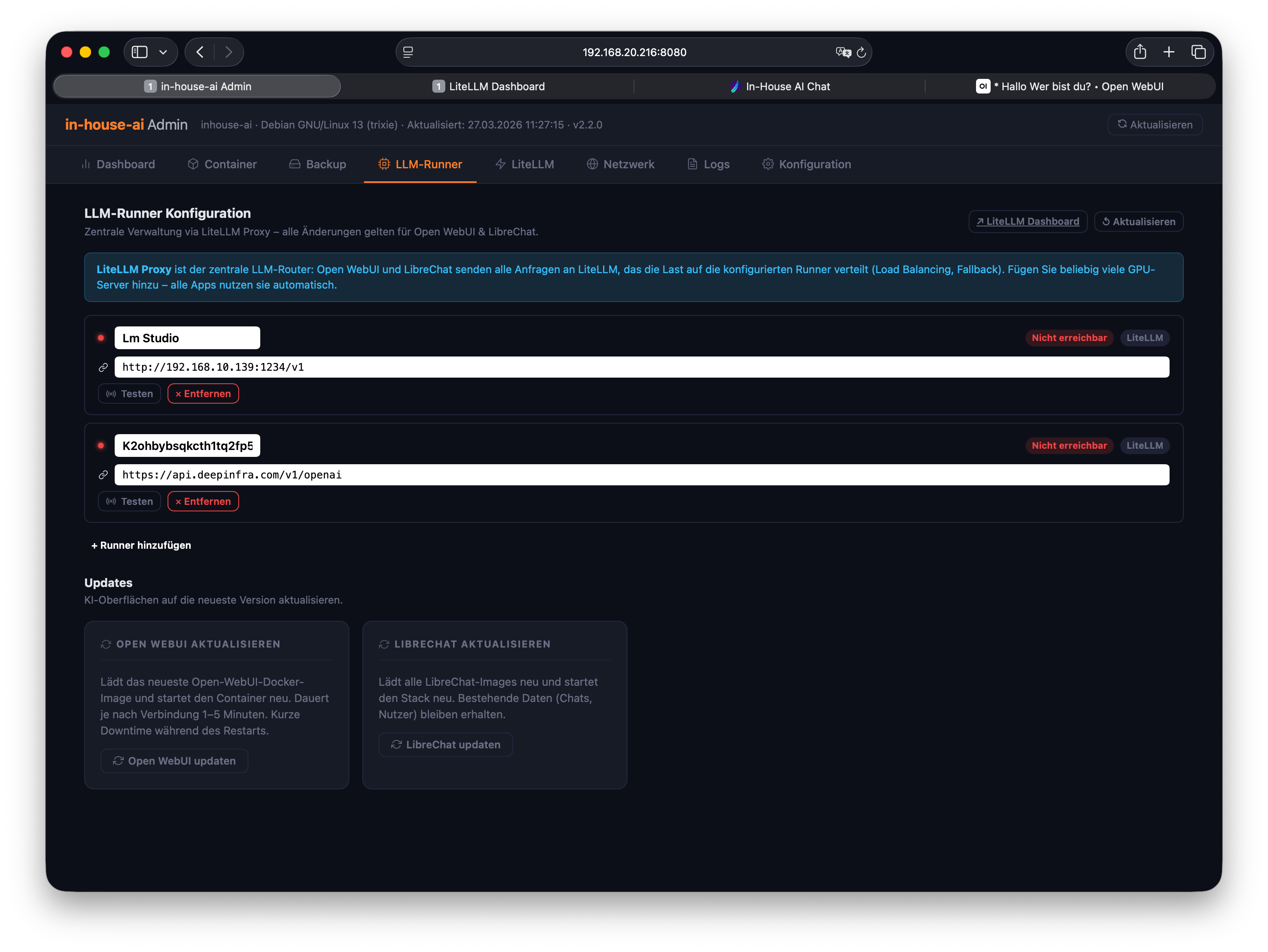
Load, activate, and manage language models
The LLM Runner section lets you manage all AI models installed on your system. New models can be loaded directly through the interface – no command line required.
You can see which models are active, how much memory they use, and switch between them. We set up the initial models and show you how to add more independently.
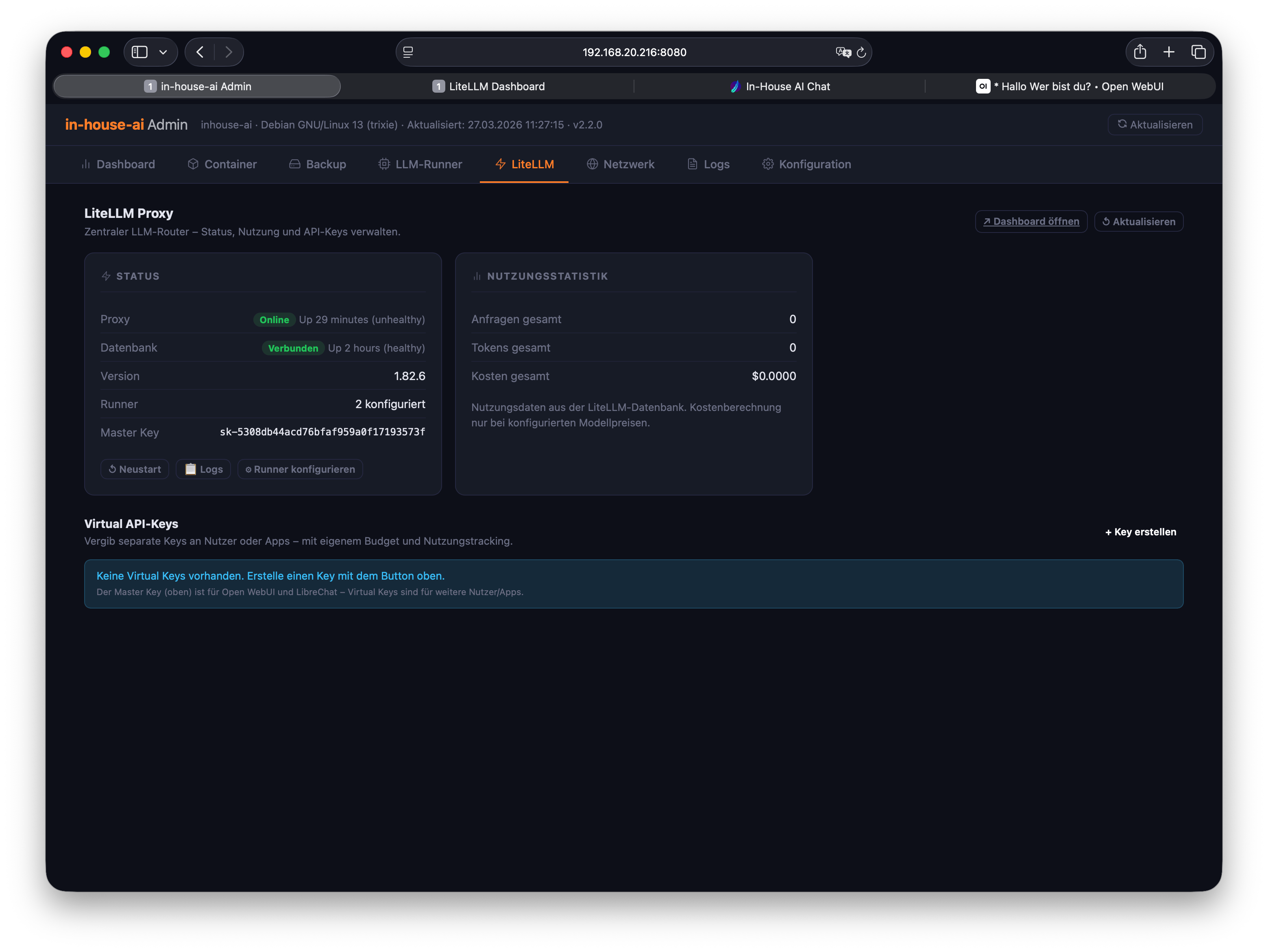
LiteLLM directly in the admin panel
The LiteLLM integration is seamlessly embedded in the admin panel. API keys, budgets, and routing rules can be configured right here – no need to switch to a separate interface.
Users who want to dive deeper into LiteLLM management can open the dedicated LiteLLM dashboard at any time. Both paths lead to the same result.
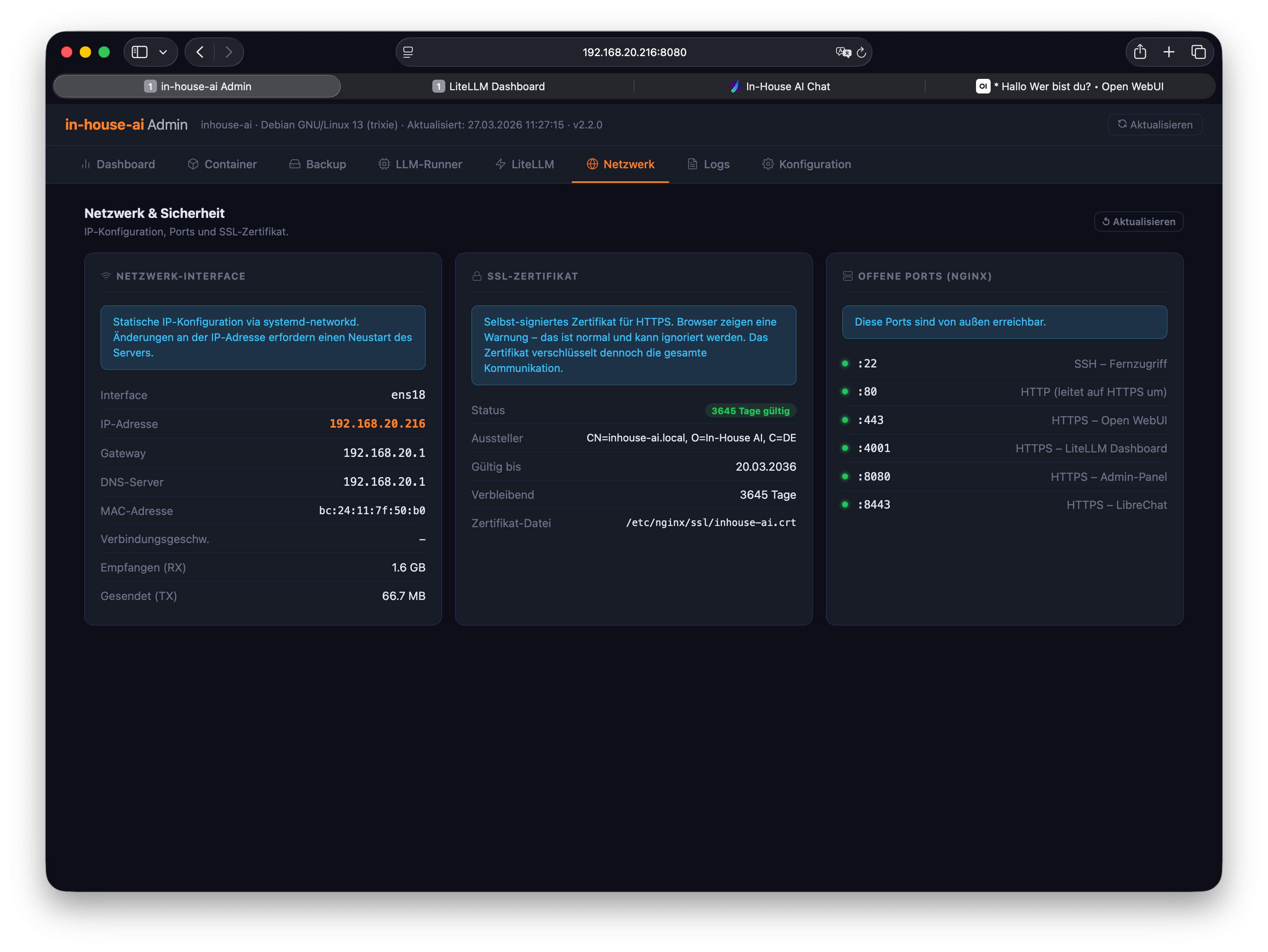
Centralised network settings management
IP addresses, ports, internal hostnames, and access rules – all configurable through the admin panel. Changes take effect immediately, with no system restart required.
Ideal for IT departments integrating the system into existing network structures or setting up access restrictions for specific departments.
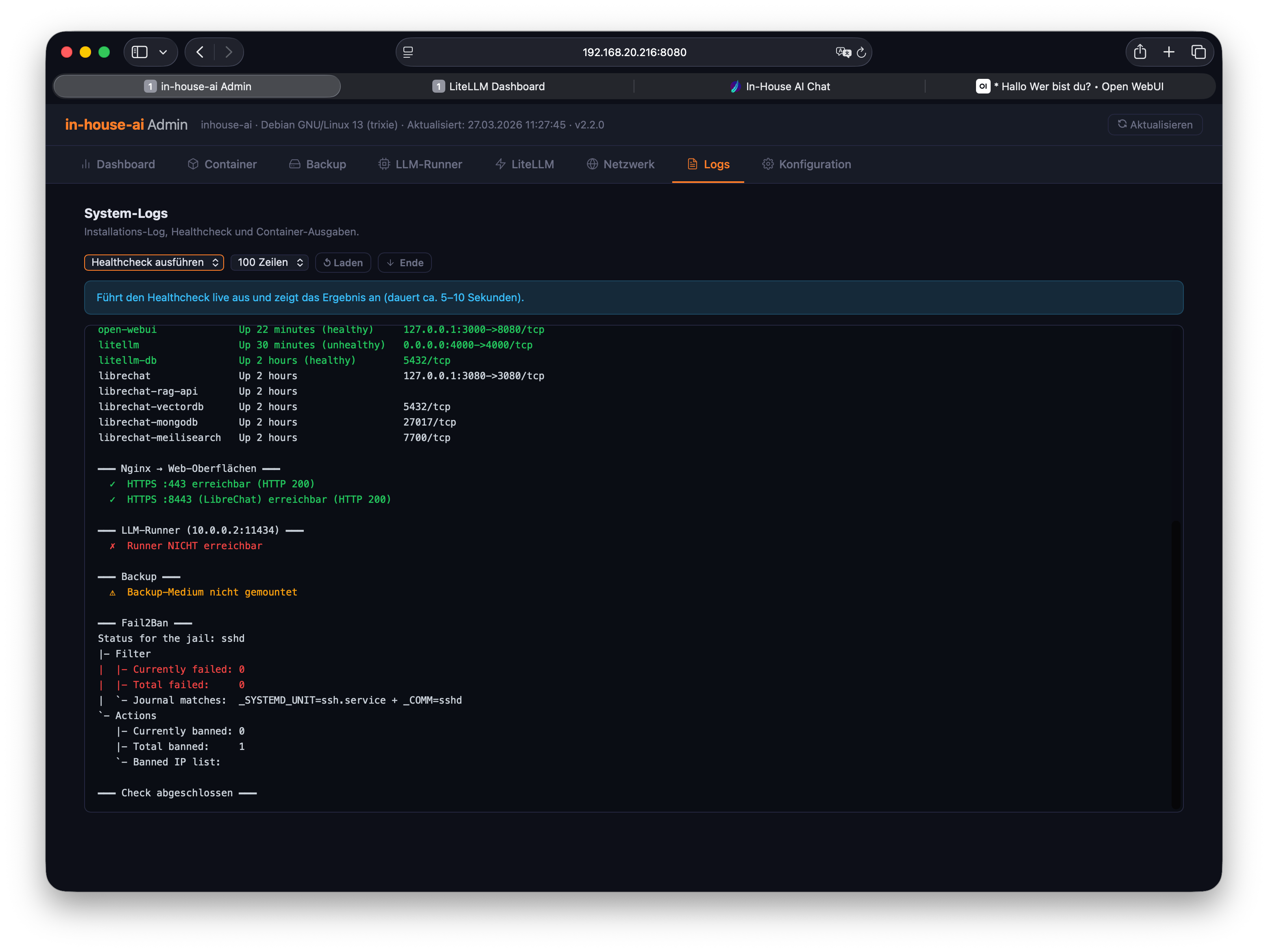
Full transparency through system logs
All system events are logged without gaps and are searchable through the log section. Whether errors, access events, or model activations – every action is fully traceable.
For compliance requirements or your own troubleshooting: logs can be filtered, exported, and archived. No data leaves the local system.
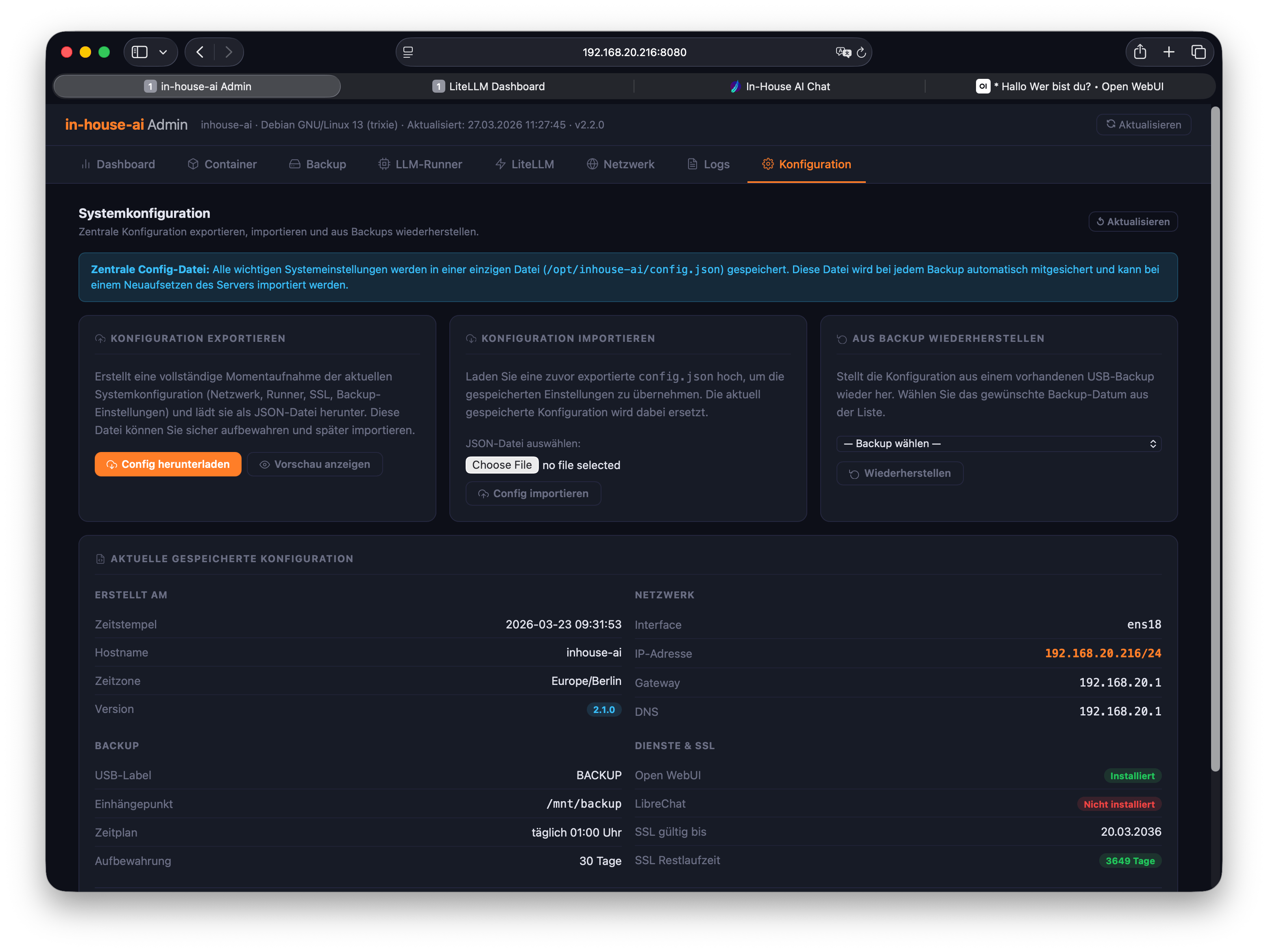
System settings without config files
All system-wide settings – user management, service configurations, update behaviour, and security parameters – are accessible through the graphical interface.
No manual editing of configuration files, no SSH access required. Changes are validated and applied securely. One-click rollback whenever you need it.